RustPBX Overview
RustPBX is a cloud-native PBX written in Rust for voice AI, contact center, and enterprise telephony workloads. It emphasizes stability, low latency, and observability.
This overview highlights the capabilities you should understand before rolling out the system. It reflects the 0.5.x release series.
The Voice Agent functionality has been moved to a separate project: Active Call.
RustPBX now focuses on the SIP Proxy and PBX features.
Platform Positioning
- Unified voice plane: SIP signaling, media proxying, call records, billing, and access control live in one runtime.
- Config-driven architecture: behavior is authored through TOML files and database entities, which works well with DevOps/GitOps pipelines.
- Cluster-aware by default: a distributed session registry, cross-node session user data, and owner-routed operations make multi-node deployments first-class citizens.

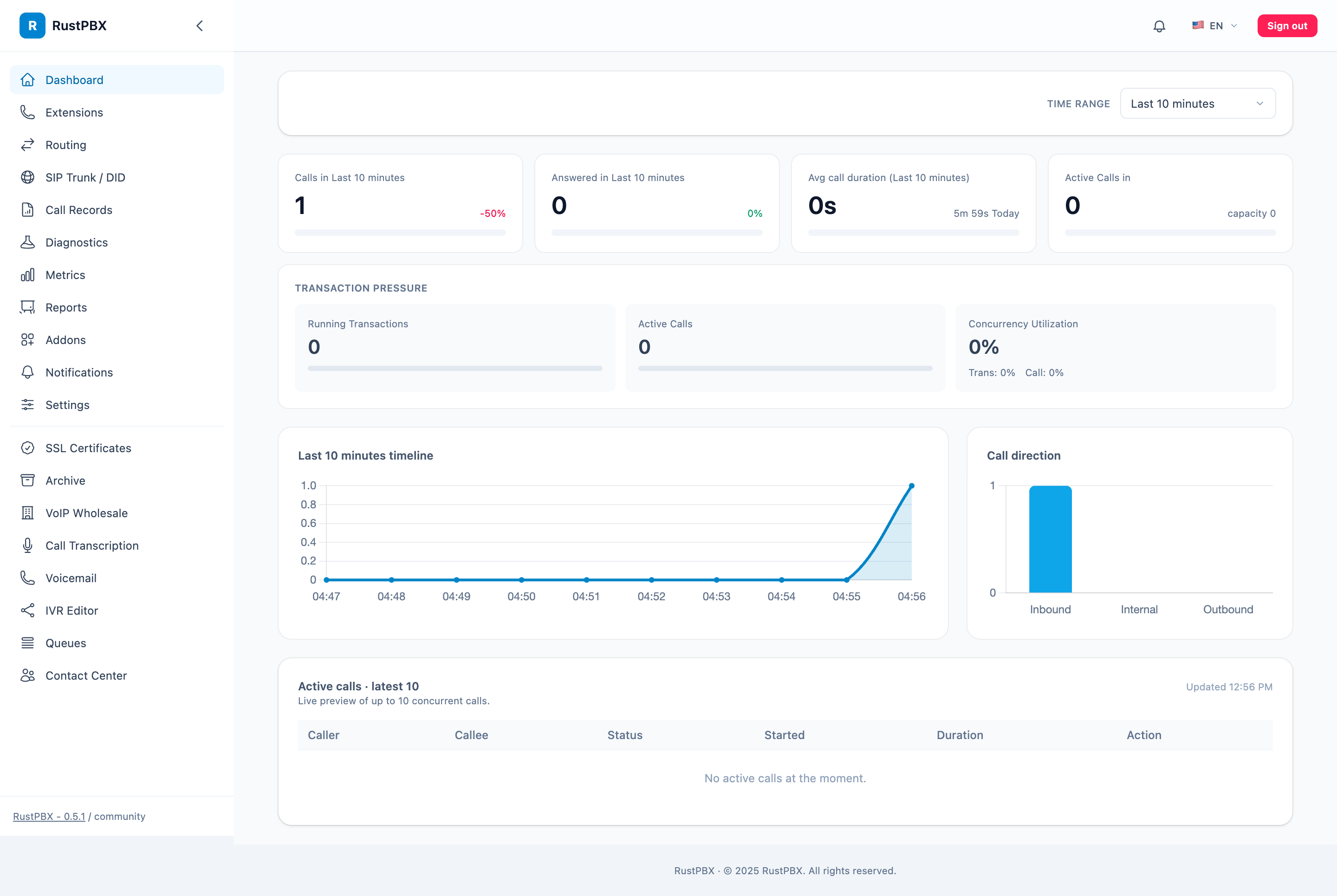
Everything above is managed through a built-in web console — extensions, trunks, routing, call records with per-call traces, reports, and diagnostics:
Highlights in 0.5.x
- Cluster session registry: calls are visible and operable cluster-wide; session
user_datareplicates across nodes and survives transfers, so business context (CRM ids, campaign tags) never drops mid-call. - Hardened transfers: blind/attended REFER with B2BUA fallback, application handoff preservation, and optional transfer-header passthrough onto outbound INVITEs.
- Per-call media evidence: RTCP packet loss, relay drops, and leg media completeness land in the CDR, next to the leg timeline and the unified call-error reference.
- AI voice pipeline: per-call transcription plans (provider, language, auto-start), a realtime AI-voice bridge for LLM agents, and IVR flows with dynamic TTS prompt aliases.
- Network conferences: programmatic room creation, REFER-based joins, and an empty-room watchdog.
- Storage grown-ups: S3 presigned download URLs, anonymous S3, configurable HTTP upload scheme, and a recording-upload retry worker.
- Smarter queues: busy-wait (camp-on) for busy extensions, sequential overflow, per-queue waiting depth, and PBX-wide
queue_hold_music/voicemail_greetingdefaults.
Core Module Map
| Directory / Module | Responsibilities |
|---|---|
src/call/ | Call control, IVR logic, policies, and per-call state machines |
src/proxy/ | SIP proxying, ACL enforcement, active call & cluster session registries, routing engine, trunk management, locator, emergency routing |
src/rwi/ | Real-time WebSocket Interface — WebSocket pub/sub gateway for call control, queue events, voice agent commands, and webhooks (dedicated runtime with retries, metrics, and hot reload) |
src/media/ | RTP/SRTP media proxy, SDP negotiation, audio mixing/transcoding, WebRTC media bridging, per-call quality evidence |
src/report/ | Unified multi-addon reporting layer (skill-group-first CC reports, trunk/domain reports, heatmaps, runtime snapshots) |
src/outbound/ | Outbound call dispatcher with events and webhooks |
src/models/ | Database entities for extensions, trunks, routing, billing, queues, presence, RBAC |
src/console/ | Web console APIs, middleware, session authentication, i18n |
src/api/ | Versioned HTTP API tree with token authentication |
src/handler/ | AMI (health, dialogs, transactions, reload, cluster-aware active-call queries) and HTTP middleware |
src/auth/ | Authentication backends: JWT, HTTP token, phone number |
src/callrecord/ | CDR writing, leg timeline, recording/SipFlow upload, storage backends |
src/sipflow/ | SIP/RTP flow capture with FlowDB LSM-tree engine and remote cluster mode |
src/storage/ | Object storage abstraction (S3 with presigned URLs, Azure Blob, GCP) |
src/tts/ | Text-to-speech integration (CLI and HTTP drivers) |
src/bin/ | Binary entry points: rustpbx (main PBX) and sipflow (standalone capture server) |
config/ | Runtime configuration for trunks, routes, queues, IVR, ACLs, recorders, CDR, voice models |
addons/ | Plugin architecture for community and commercial features (contact center, wholesale, IVR editor, voicemail, …) |
Typical Workflow
- Prepare the environment: deploy via container or bare metal and complete the steps in “Basic Setup.”
- Build connectivity: add SIP trunks, routing policies, and billing templates (“Routing, Trunk & Billing”).
- Distribute traffic: configure extensions, queues, and policies so calls reach the right destination (“Extension Management”).
- Monitor & diagnose: rely on Diagnostics, call traces, and health probes to validate changes (“Diagnostics” & “Operations Manual”).
- Operate continuously: edit
config.tomlfor advanced features and use “Troubleshooting” when incidents occur.
Documentation Map
- Basic Setup: deployment, installation, the first trunk, and initial configuration.
- Extension Management: agent accounts, device settings, lifecycle hooks, and security.
- Routing, Trunk & Billing: end-to-end line management, billing practices, emergency routing, and DID number pools.
- Diagnostics: reload workflow, route evaluation, health checks, call traces, SipFlow queries, and logging aids.
- Operations Manual: daily routines, rollout processes, backups, compliance, and metrics.
- Cluster Deployment: multi-node clustering, the session registry, inter-node event sync, SipFlow cluster, and load balancing.
- Technical Specs: compatibility notes, performance guidance, SDES-SRTP, and storage backends.
- Troubleshooting: categorized issues with recommended recovery steps.
Read sequentially or jump directly to the chapter that matches your current task.